Kohler Energy Management
- 3.8
- Rating
- 10.00K
- Installs
- Free
- Price
 Analysis by App-foxy
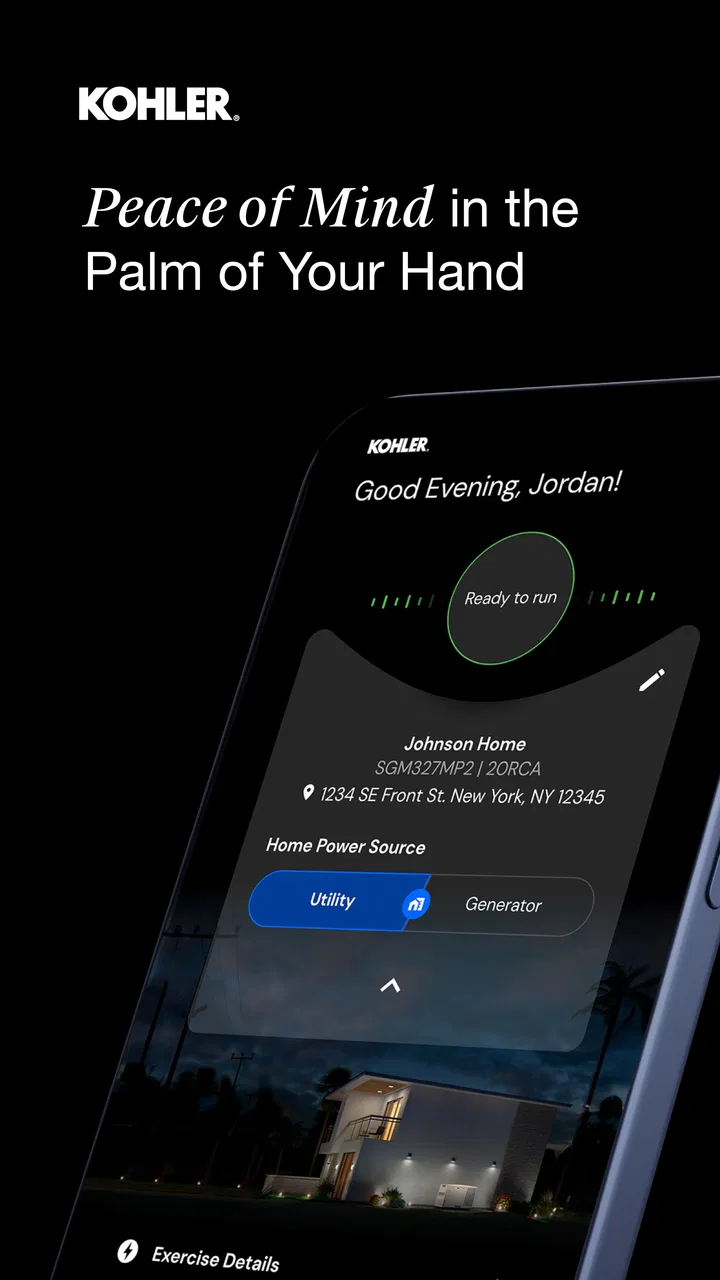
Managing a home generator is not something most people want to turn into a daily chore. I approached Kohler Energy Management with that in mind: the useful value is in making generator ownership easier to follow, especially when I want a quick view of the equipment instead of walking outside to check it. It is a free House & Home app from Discovery Energy, LLC, aimed at homeowner generator management rather than general smart-home control.
That focus is important. This is not an app for controlling every appliance in the house, planning electrical projects, or replacing the generator’s physical controls. Its role is narrower and more practical: it gives homeowners a digital place to interact with their compatible generator setup and build a repeatable habit around checking it. In my experience, that makes it most useful before bad weather, after a power interruption, and during routine checks when I want to know what deserves attention.
How I would use it as part of a normal generator routine
The best starting point is a simple baseline workflow. I would open the app when I am calm, look through the available generator information, and learn where the important status details appear before an emergency happens. That first familiarization matters more than it sounds. An app can be technically straightforward, yet still feel confusing if the first time I use it is during a storm or outage.
You May Also Like

 Pandora - Music & Podcasts
Pandora’s Music Is Easy to Start, but Harder to Recover
Pandora’s strength is its low-effort path from a seed to a station. Its weak spot is how much confidence it asks you to place in connection, setup, and quiet recovery.

 AccuWeather: Weather Radar
AccuWeather Review: A Quick, Clear Forecast for Everyday Decisions
For everyday plans, the best forecast is the one you can understand quickly. AccuWeather makes rain timing, radar, and local conditions easy to act on, with a few trade-offs.

 Hill Climb Racing
Why Hill Climb Racing Still Turns Crashes Into One More Run
A tiny car, a bumpy hill and one more upgrade: Hill Climb Racing keeps resurfacing because its simple chaos makes every near-miss feel personal.

 AliExpress - Shopping App
AliExpress Makes Global Shopping Feel Personal, but Shoppers Bear the Risk
AliExpress turns a global marketplace into a pocket-sized discovery engine. Its reach is useful, its shopping loop compelling, and its trade-offs easy to miss.

 Lords Mobile: Kingdom Wars
Lords Mobile Is a Kingdom-Building Routine, Not a Quick Match
A case-by-case verdict on the building, battles, device demands, and social commitments that make Lords Mobile rewarding for some players and exhausting for others.

 PDF Scanner app - TapScanner
TapScanner Makes Paperwork Easier to Capture, Check, and Share
TapScanner makes scanning with a phone feel less like a rescue operation and more like a dependable step in getting work done. Its capture tools are useful, though not flawless.
More From Our News Desk
View All News


For a homeowner, the routine can be divided into three moments. First, there is the occasional health check: open the app, review the current state, and note anything that needs attention. Second, there is preparation: check the generator before severe weather or a period when the house will be empty. Third, there is follow-up after an event: return to the app and confirm that the equipment is in the expected condition rather than assuming everything went perfectly.
The real strength is consistency, not constant monitoring. I would not treat this as an app that needs to stay open all day. Instead, I would attach it to habits I already have, such as checking outdoor equipment before a forecasted storm or reviewing household systems on the same day each month. That approach keeps the app useful without turning generator ownership into another stream of notifications and screen time.
A realistic example is a family leaving home for a weekend during a season when outages are common. Before leaving, I would use the app to review the generator’s visible status, then make a quick physical check of the area around the unit. The app can support the digital part of that process, but it does not remove the need to make sure the generator itself is accessible and that the surrounding space is safe. When I return, I would check again rather than relying only on memory.
This division between digital and physical checks is one of the first trade-offs to understand. Kohler Energy Management can make information easier to reach, but it cannot inspect every real-world condition around the generator. A clear app screen does not replace looking for blocked airflow, obvious damage, or other issues that only a person on site can notice.
What the first setup experience should accomplish
When I set up a home-management app, I prefer to establish the connection and then immediately learn the normal state of the equipment. That gives me a reference point. If I only open the app when something looks wrong, I have no personal baseline for comparison and may waste time wondering whether a message is normal.
I would also make sure the household knows who is responsible for checking the app. In a shared home, several people may assume somebody else is watching the generator. A short, repeatable agreement—one person checks before severe weather, another checks after an outage—can be more valuable than installing the app on every phone and never opening it.
The current version is 1.5.202606, and the app supports Android 6.0 or later. That makes it accessible on many older Android devices, which is helpful if the phone used for household equipment is not a recent flagship. Still, I would keep the operating system and the app maintained where possible, because reliability matters more for a generator-management tool than having the newest visual design.
Settings and permissions worth treating carefully
I would not rush past the setup screens. The useful settings are the ones that determine whether the app is practical in the way I actually live. If notifications or alerts are available for the connected setup, I would decide which ones deserve immediate attention and which ones can wait for a normal review. Too many low-priority alerts can train me to ignore the important ones.
At the same time, I would avoid disabling every notification simply to keep the phone quiet. A generator app has a different purpose from a casual home-improvement app: timely information can matter when the house is unattended. My preferred balance would be to allow meaningful equipment-related alerts while keeping unrelated phone notifications under control.
I would also review the phone’s battery and background behavior if the app seems slow to update. Android devices sometimes restrict background activity to save power. That can be sensible for most apps, but a homeowner may reasonably choose a different balance for an app connected to essential household equipment. I would make that decision deliberately rather than assuming the phone’s default settings are ideal.
Another practical step is checking that the app has been configured for the correct household equipment. If more than one generator or property is involved, I would pay close attention to the selected system before acting on a status message. A fast glance is only helpful when I am certain I am looking at the right installation.
There is also a useful privacy habit here: keep the app on the phones of people who genuinely need access, and use a clear household process for sharing information. Generator status is not something every visitor needs to see. This is less about the app being complicated and more about avoiding confusion when several people are trying to manage the same equipment.
Faster patterns that make repeat checks easier
Experienced use is mostly about reducing unnecessary steps. I would place the app where it is easy to reach, but I would not open it repeatedly without a reason. A concise check has more value when it answers a specific question: Is the generator in its expected state? Is there anything that needs follow-up? Do I need to inspect the equipment in person?
One pattern I like is the “before and after” check. Before a forecasted weather event, I would review the app and make a physical inspection. After the event, I would open it again and compare what I see with my expectation. This creates a small record in my own routine, even without pretending that the app is a full maintenance log.
A second pattern is pairing the app with a household checklist. The checklist can include fuel or power considerations appropriate to the installation, clear access around the generator, and contact details for professional help. The app handles the digital status portion; the checklist prevents me from confusing remote visibility with complete equipment care.
A third pattern is using the app as a conversation tool with a service professional. If something looks unusual, I would note what appeared on screen and when I noticed it, then describe the physical situation accurately. That is more useful than saying only that “the generator app looks wrong.” The app may help me communicate, but I would not attempt repairs based solely on an uncertain message.
These habits also show where this app compares favorably with the usual alternatives. A paper checklist is dependable for remembering physical tasks, but it cannot provide a current digital view. A generic smart-home dashboard may offer more categories of devices, yet it can be less focused for generator ownership. Checking the generator manually gives the most direct physical confirmation, but it is less convenient when I am away from home. Kohler Energy Management fits between those options: more immediate than paper, more focused than a broad home dashboard, and less complete than standing beside the unit.
Where the focused design becomes a limitation
The narrow purpose is also the main limitation. If I want one app to manage lighting, cameras, thermostats, locks, energy consumption, and generator information together, this would not be my first choice. Its value depends on having a compatible generator-management need; without that, there is little reason to keep it installed.
I would also avoid treating it as a substitute for professional maintenance. An app can make status information easier to access, but it does not turn a homeowner into a technician. If the equipment shows a serious warning, behaves unexpectedly, or fails during an outage, I would follow the appropriate manufacturer or service guidance instead of repeatedly refreshing the screen or experimenting with controls.
Remote convenience can create its own false confidence. When I am away from home, a reassuring status view may tell me that the connected system appears normal, but it cannot confirm every condition at the property. A storm could affect access, surroundings, fuel arrangements, or other household systems. For an empty home, I would combine app checks with a trusted local contact when that level of oversight is needed.
There is also a human limitation: the app is only as useful as the routine around it. Installing it and never learning the normal status leaves me in almost the same position as before. The better approach is to open it occasionally under normal conditions, understand the information it presents, and decide in advance what would make me call for help.
The audience size reflects that specialist role. The app has passed ten thousand installs and holds a 3.8 average from around 255 ratings, with 143 written reviews. Those figures suggest a real but focused user base rather than a mass-market household platform. I would read that as context, not as a verdict: a generator owner has a different standard for usefulness than someone looking for a popular entertainment or social app.
Who should use it, and who should choose something else
I would recommend it to a homeowner who wants a dedicated way to keep track of a compatible home generator and who is willing to combine app checks with sensible physical inspections. It should suit people who travel, households in areas affected by severe weather, and anyone who finds it easier to remember equipment care when the information is available on a phone.
It is also a good fit for a family that needs a common reference point. Instead of one person keeping all generator knowledge in their head, the household can agree on a basic check routine and use the app to see the same equipment information. That does not eliminate communication, but it can reduce uncertainty about whether somebody has looked recently.
I would skip it if I do not own or manage the relevant type of generator, if I expect a complete smart-home command center, or if I want a detailed maintenance-management system for many kinds of equipment. In those cases, a broader home platform, a dedicated service arrangement, or a simple manual process may be more appropriate. I would also think twice if I am unwilling to perform any physical checks, because remote information alone is not enough for responsible generator care.
The price is straightforward: the app is free, so trying it does not require a purchase decision. That lowers the barrier for an eligible homeowner, although “free” does not remove the need for compatible equipment, a suitable phone, and a reliable personal routine. The content rating is Everyone, which fits a household utility intended for general use rather than an app built around mature material.
My verdict after looking at the full workflow
Kohler Energy Management works best when I treat it as one useful layer in generator ownership, not as the entire solution. Its focused purpose makes it easier to justify than a generic home app when my main concern is the generator, and its free availability makes experimentation simple. The strongest benefit is the ability to turn occasional equipment awareness into a repeatable phone-based habit.
My recommendation would be practical rather than enthusiastic: install it, establish what normal looks like, review the settings that affect attention and access, and pair every digital check with the physical tasks the generator still requires. Use it before a storm, after an outage, and when the home will be unattended. Those are the moments when a focused management tool earns its place.
Discovery Energy, LLC has kept the product centered on homeowner generator management, and that specialization is both its appeal and its boundary. I would choose it over a paper-only routine when I want convenient status access, but I would choose a broader platform when generator information is only one small part of a much larger smart-home setup. For the right household, Kohler Energy Management is a sensible companion that helps me check sooner, communicate more clearly, and avoid relying entirely on memory.
FAQs for Kohler Energy Management
01What is Kohler Energy Management, and what can I use it for?
Kohler Energy Management is designed to help users monitor and manage compatible Kohler power and energy equipment from a mobile device. Depending on the supported system and installation, the app may provide information such as generator status, operating conditions, alerts, power activity, and maintenance-related details. Its usefulness depends on the Kohler equipment, controller, account setup, and connectivity available at your property.
02Is Kohler Energy Management compatible with my generator or energy system?
Compatibility depends on the specific Kohler generator, energy-management hardware, controller, and installation configuration. Not every Kohler product can necessarily be connected to the app, and some features may require additional equipment or a professional installation. Before downloading, check the app listing and Kohler’s official compatibility information, then confirm that your model and controller are supported in your region.
03Does the app let me control my Kohler generator remotely?
For compatible installations, Kohler Energy Management may offer remote monitoring and selected control or configuration functions, but the available options can vary significantly by generator model, controller, software version, and account permissions. The app should not be treated as a replacement for professional servicing or local safety procedures. Always follow the instructions provided with your Kohler system when starting, stopping, or troubleshooting equipment.
04Does Kohler Energy Management require an internet connection?
An internet connection is generally important for remote monitoring, cloud synchronization, notifications, and communication between the app and compatible Kohler equipment. If the generator or controller loses connectivity, the app may show delayed information or become unable to send commands until the connection is restored. Local equipment operation may still be possible, depending on the installation, but this should be verified with the system documentation.
05Is Kohler Energy Management free to download, and are there any requirements?
The app may be available to download without an upfront charge, but access to its features can require compatible Kohler equipment, a registered user account, an approved installation, and reliable internet service. Some services, monitoring plans, or professional installation arrangements may involve separate costs. Availability can also differ between Android and iOS, so review the current store listing and applicable Kohler service terms before installing.
Pros
- Monitors household energy use in one convenient mobile dashboard.
- Helps identify consumption patterns and opportunities to reduce energy costs.
- Supports remote oversight of compatible Kohler energy equipment.
- Useful alerts can help users notice system events or changing energy conditions.
- Clean interface makes essential energy information easy to review.
Cons
- Requires compatible Kohler equipment to deliver its full functionality.
- Some features may depend on an internet connection or cloud services.
- Energy data may take time to update
- limiting real-time accuracy.
- Initial setup can be complicated for users unfamiliar with energy systems.
- Availability of features may vary by region
- system model
- or installation.

Kohler Energy Management
Gallery